Live chat, the whole of it
One product rather than a pile of add-ons. Here is what you get on day one, and what is still on the way.
For your visitors
A chat window that behaves itself
It runs in its own iframe, so your styles cannot leak in and it cannot break your layout.
Starts in one tap
A launcher, your greeting, and an optional pre-chat form.
Survives page changes
The conversation follows the visitor around your site and back after they close the tab.
Typing indicators and files
Both sides see when the other is writing. Screenshots beat descriptions.
Honest about waiting
Queue position when you are busy, opening hours when you are closed.
Reach out first
Say something before they do
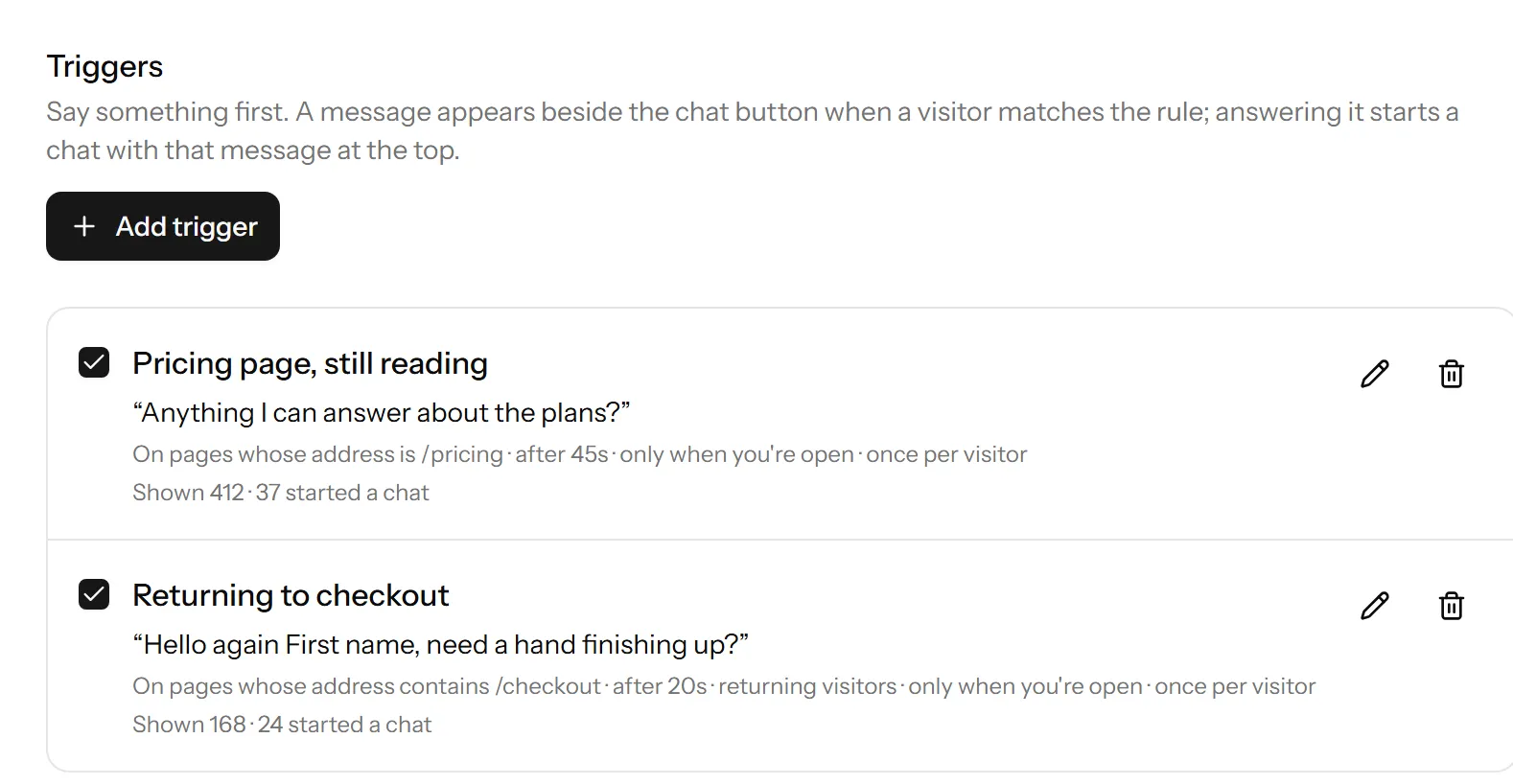
A message appears beside the launcher when somebody matches a rule you set, and answering it starts a chat with that message already at the top.
Rules you can read
Which page, how long they have been on it, first visit or returning, only while you are open.
Checked in their browser
The rules travel to the visitor, so a trigger costs nothing until it fires and we keep no trail of who nearly saw one.
Their name, when you know it
Drop in a first name, company or the page title, with a fallback for when you do not know it.
Shown, and answered
Two counts per message, so the one nobody ever replies to is easy to spot and rewrite.
For your team
One inbox, and it is obvious who has what
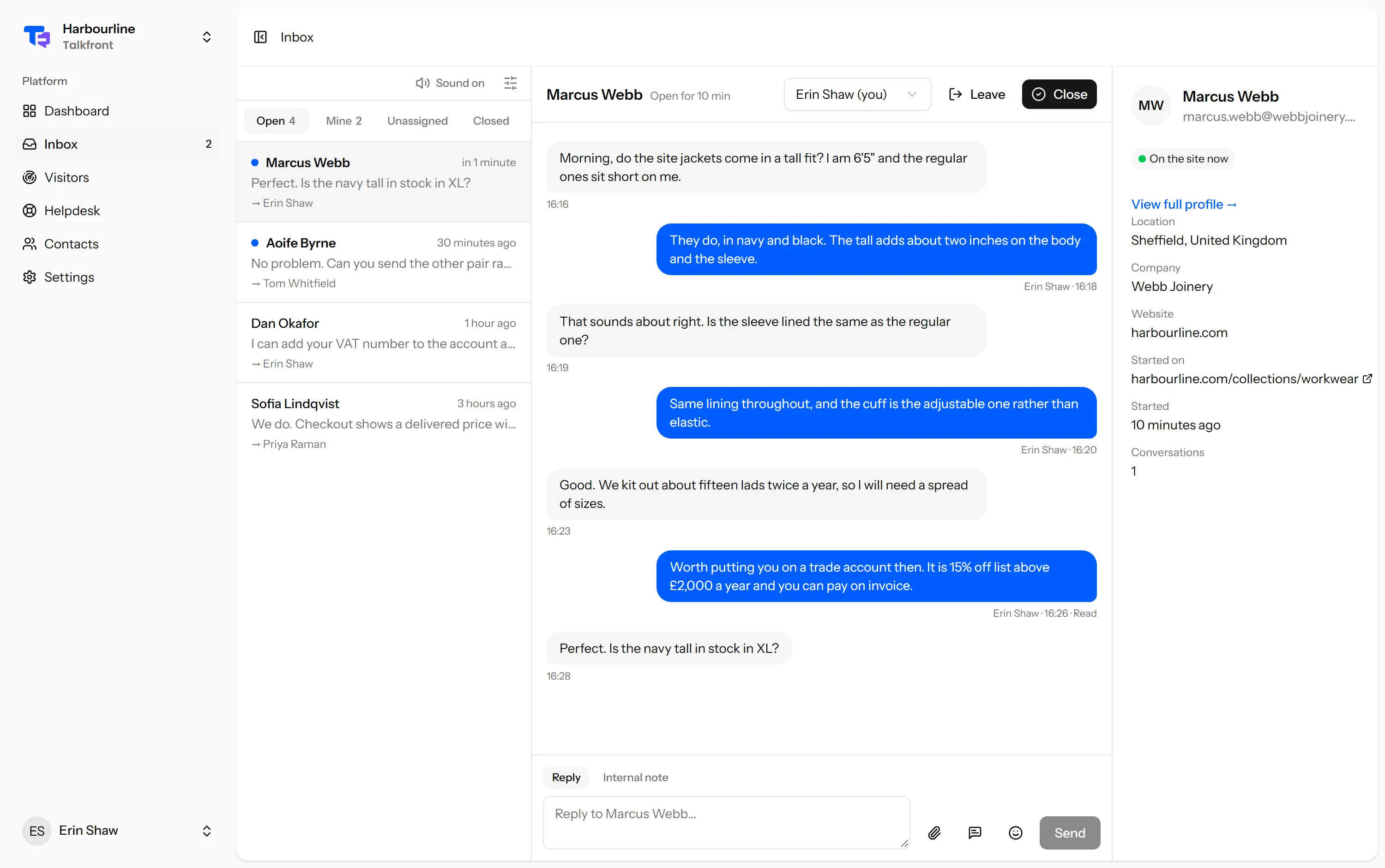
Every conversation from every website in one list, filtered by open, waiting or closed.
Assign and reassign
The first agent to reply picks it up. Hand it over when it needs someone else.
Private notes
Notes for the next person. They are never broadcast on the visitor channel.
Saved replies
The answers you type twenty times a week, in a couple of keystrokes.
Closed is not gone
A reply reopens the conversation with its history intact.
Know the reply landed
Sent, delivered or read under your last one, and emailed when it went out by mail too.
Half a minute to fix a typo
Correct your own message just after sending it. Both sides see it was edited.
Ask how it went
A thumb and an optional comment when a chat ends, counted on your dashboard.
A queue that means something
Chats nobody is having close themselves, so what is left is what needs an answer.
Context
Know who you are talking to
Everyone who chats becomes a contact, with the page they are stuck on and what they asked last time.
Your own customer details
Name, plan, company, anything, passed from your app.
Verified identity
Sign the user id on your server and nobody can read someone else’s history.
Live visitor list
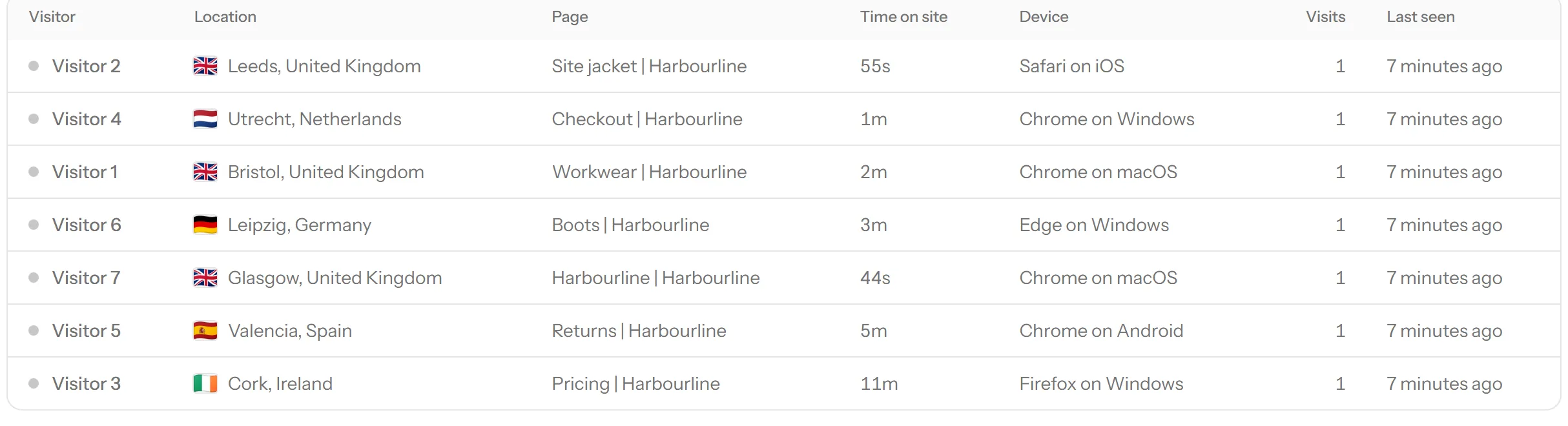
Who is on the site right now, where they came from, how long they have been reading.
Search and export
Find anyone by name or email. Take the lot as CSV whenever you want.
Make it yours
It should look like your product, not ours
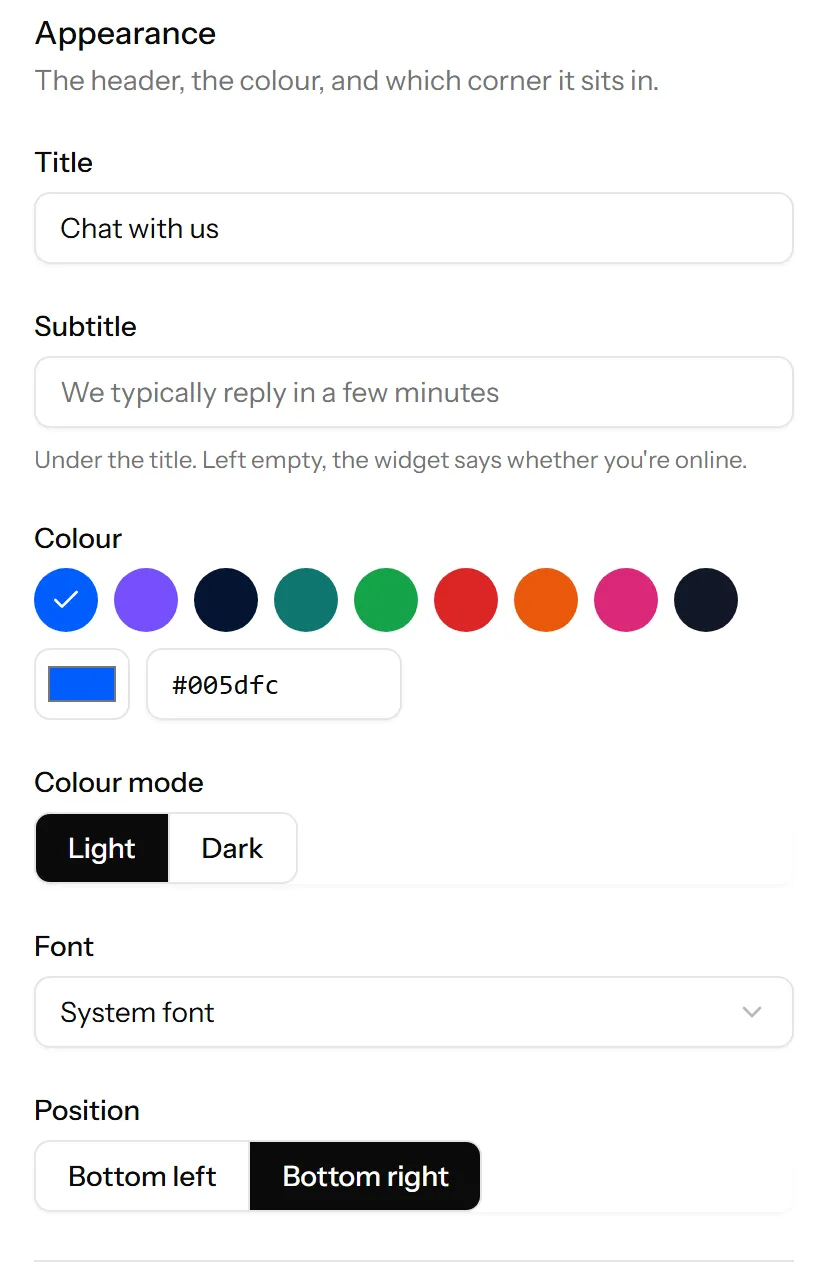
Colour, position, greeting, avatar and the fields you ask for, with a live preview.
Preview before you publish
Draft and published settings are separate, so you can experiment on a live site.
Your other channels too
Email, phone, WhatsApp or Telegram, beside chat.
Ask for what you need
Email and phone each off, optional or required. Or ask for nothing.
Remove our name
The footer credits Talkfront on the free plan. Any paid plan turns it off.
Security and privacy
Built for people who will be asked about GDPR
Chat sits on your site and sees your customers, so it gets the same scrutiny as the rest of your stack.
Domain allowlist
The site key is public by design. The allowlist is what protects you.
Store nothing until a chat starts
A visitor who never opens the widget leaves no record behind.
Messages render as text
Never as HTML. A pasted script tag is a pasted script tag.
A log of who did what
Member actions with timestamps and IP addresses, filterable.
For developers
One script tag, and an API when you outgrow it
No package, no build step. The same actions the panel uses are available over HTTP.
Works with anything
HTML, React, Vue, Svelte, Laravel, Rails, WordPress, Shopify.
A JavaScript API
identify, set, reset, open and close, with a stub that queues calls made before it loads.
Real-time you can rely on
Our own WebSockets, falling back to polling rather than going quiet.
REST API and webhooks
Read and write conversations, messages and contacts with a scoped token.
Talkfront('identify', {
    id: '1500',
    name: 'Jane Smith',
    email: 'jane@acme.com',
    hash: serverSignature,
});

Talkfront('set', { plan: 'Pro', seats: 12 });
Webhook deliveries
Healthy- conversation.created200
- message.created200
- conversation.closed200
Start talking to your visitors today
Create a workspace, paste one line into your site, and answer your first chat in a few minutes.
Free plan, no card needed.