Install it where your customers already are
Plugins for the platforms you run, so putting chat on your site is an install rather than a paste-this-snippet job. Everything else connects through webhooks and the API.
Plugins
Download it, install it, and your client area has chat
All three put the widget on every page, verify whoever is signed in, and keep their billing details beside the conversation. Where they differ is what your agent ends up seeing and what it costs the platform to keep it there.
WHMCS
WHMCS 8.0 or later, on PHP 7.4 to 8.3.
An addon module with its own admin page: a connection test, a status readout and a full sync on demand.
- Beside the chat
- Services, domains, unpaid invoices, credit, client group
- Sends when
- A hook fires, plus a nightly sweep of 2,000 clients
- Installs as
- An addon module, activated in System Settings
Set it up
Paymenter
Paymenter 1.x (Laravel 12, PHP 8.3 or later).
Driven by your queue worker, with an artisan command for every job: sync, test, force and the nightly run.
- Beside the chat
- Services, unpaid invoices, credit, open tickets, custom properties
- Sends when
- An event fires, queued, plus a 03:00 run
- Installs as
- An extension, enabled from the Extensions page
Set it up
Blesta
Blesta 5.x, with the Blesta cron running.
Cron-driven from end to end. Nothing calls Talkfront while a page is loading, so no client area ever waits on our servers being up.
- Beside the chat
- Services, unpaid and overdue invoices, credit, client number, custom fields
- Sends when
- The cron runs: every 5 minutes, never during a page load
- Installs as
- A plugin, installed per company
Set it up



Each is downloaded from Settings → Plugins inside your workspace, which is also where the keys they ask for live.
Everything else
The rest of your stack
Chat is more useful when it knows about the order, the deal and the customer record. Here is what connects today and what is being built.
Build your own
The pieces everything else is made of. If we have not built the integration you need, these are how you build it yourself.
- Available
JavaScript API
Identify visitors, open and close the widget, react to events on your page.
- Available
Webhooks
Get a signed POST when a conversation starts, a message arrives or a chat closes.
- Available
REST API
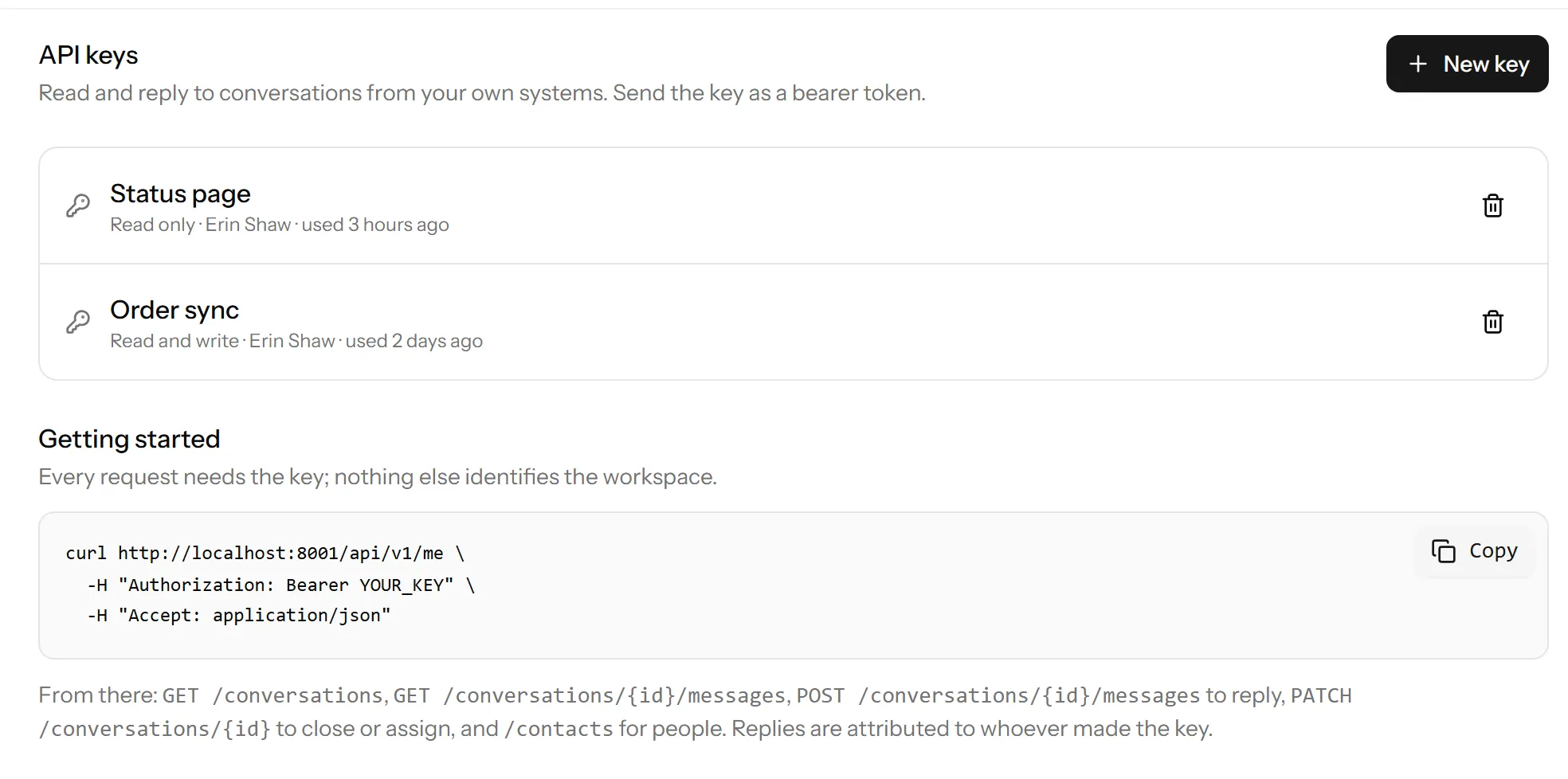
Read and write conversations, messages and contacts with a scoped token.
Team messaging
Get chats where your team already is, and reply without changing tab.
- Soon
Slack
New conversations in a channel, with replies going back to the visitor.
- Soon
Microsoft Teams
The same, for teams that live in Microsoft 365.
- Soon
Discord
For communities and studios who run support in Discord.
Automation
Connect Talkfront to a few thousand other tools without writing anything.
- Soon
Zapier
Send new conversations and contacts anywhere Zapier reaches.
- Soon
Make
Visual scenarios triggered by chat events.
- Soon
n8n
Self-hosted automation for teams who would rather run it themselves.
CRM and sales
Keep the conversation attached to the customer record your sales team works from.
- Soon
HubSpot
Sync contacts both ways and log chats against the record.
- Soon
Pipedrive
Turn a chat into a deal without retyping anything.
- Soon
Salesforce
Push contacts and transcripts into your existing objects.
Ecommerce
Let an agent see the order before asking which order it is about.
- Soon
Shopify
Customer, recent orders and fulfilment status beside the chat.
- Soon
WooCommerce
The same, for WordPress shops.
Website platforms
Installing the widget is one script tag, so it works anywhere. These are the guided routes.
- Available
WordPress
Drop the snippet into a child theme or a small plugin.
- Available
Webflow
Paste it into the site-wide custom code panel.
- Available
Ghost
Site header injection, no plugin needed.
Security and infrastructure
The services Talkfront leans on, which you can configure yourself.
- Available
Cloudflare Turnstile
Bot protection on pre-chat and offline forms, without a puzzle.
- Available
Stripe
Billing and invoices. Card details never reach us.
Anything on this page you could have built yourself
The plugins above are webhooks and the REST API underneath, and so is everything else here. When a conversation starts, we post it to your endpoint, signed, and you do whatever you like with it.
Both are on the Pro plan and up, and both work today. The JavaScript API is on every plan, including the free one.
{
  "event": "conversation.created",
  "site": "pk_live_your_site_key",
  "conversation": {
    "uuid": "0193f2a1-...",
    "channel": "chat",
    "status": "open",
    "contact": {
      "name": "Jane Smith",
      "email": "jane@acme.com"
    }
  }
}
Not seeing the one you need?
We build these in the order people ask for them, so telling us genuinely moves it up the list.
Start talking to your visitors today
Create a workspace, paste one line into your site, and answer your first chat in a few minutes.
Free plan, no card needed.