
Blesta
Version 1.0.0 · Blesta 5.x, with the Blesta cron running.
Puts Talkfront live chat on your Blesta client area, proves who is signed in, and keeps your clients in step with your contacts in Talkfront. Nothing it does happens while a client waits for a page.
Cron-driven from end to end. Nothing calls Talkfront while a page is loading, so no client area ever waits on our servers being up.
Opens Settings → Plugins, where the download lives. You will need a Talkfront account and a website already added.
Every Talkfront plugin does the same three things: puts the widget on every client area page, verifies whoever is signed in, and keeps their details in step with your contacts. Here is what the Blesta one has that the others do not.
Particular to Blesta
Never runs during a page load
Blesta has no job queue, so instead of making a client wait on a request to us, an event writes one row saying that client needs sending. Nothing your customer does is ever slowed down by our servers, or stopped by them being down.
Two cron tasks, and that is all
One every five minutes sends whoever is marked, up to 500 a run. A nightly one marks the next page of clients so nothing goes stale. A client is at most one tick out of date, and both tasks show their last run in Blesta.
Overdue invoices called out
The only one that separates overdue from merely unpaid, so an agent knows which conversation is about a reminder before they open it. Client number and your own custom fields come across as well.
Installing it
Copy a folder, install the plugin, paste three keys. Blesta’s cron does the rest, so check it is running before you expect anything to arrive.
Start by downloading the zip from Settings → Plugins.
Copy the
pluginsfolder into your Blesta directory, so that you end up withplugins/talkfront/talkfront_plugin.php.In Blesta, go to Settings → Company → Plugins → Available, find Talkfront and click Install.
Click Manage beside it, fill in the keys below and save.
Press Send every client again once, to queue the clients you already have.
Add your Blesta domain to the website’s allowed domains in Talkfront, or the widget is blocked without saying so.
The keys it asks for
The same three for every plugin, from the same two screens. What each one is for.
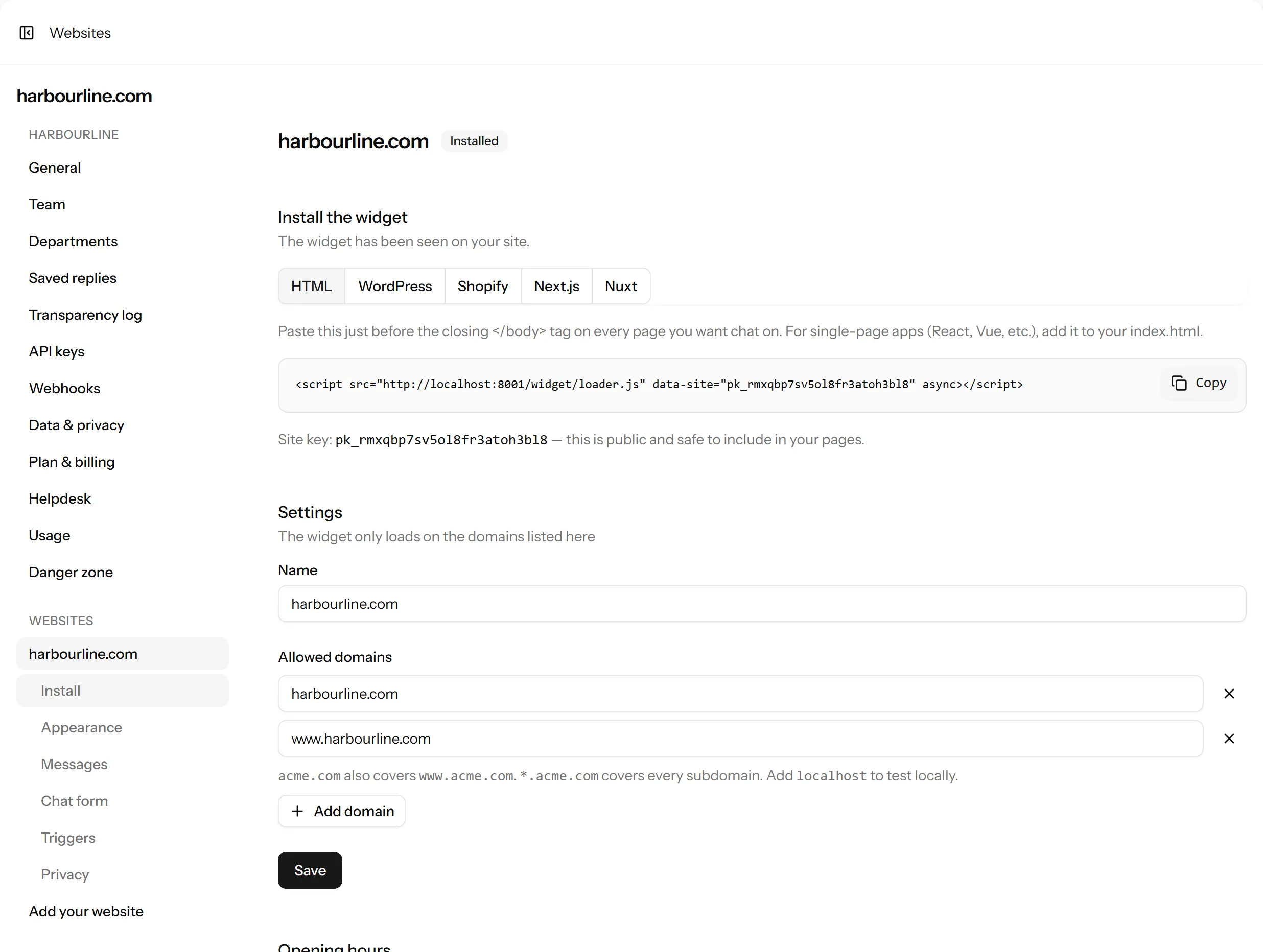
- Site key
- Talkfront → Settings → Websites → your website
- Identity key
- The same page, under Identity verification
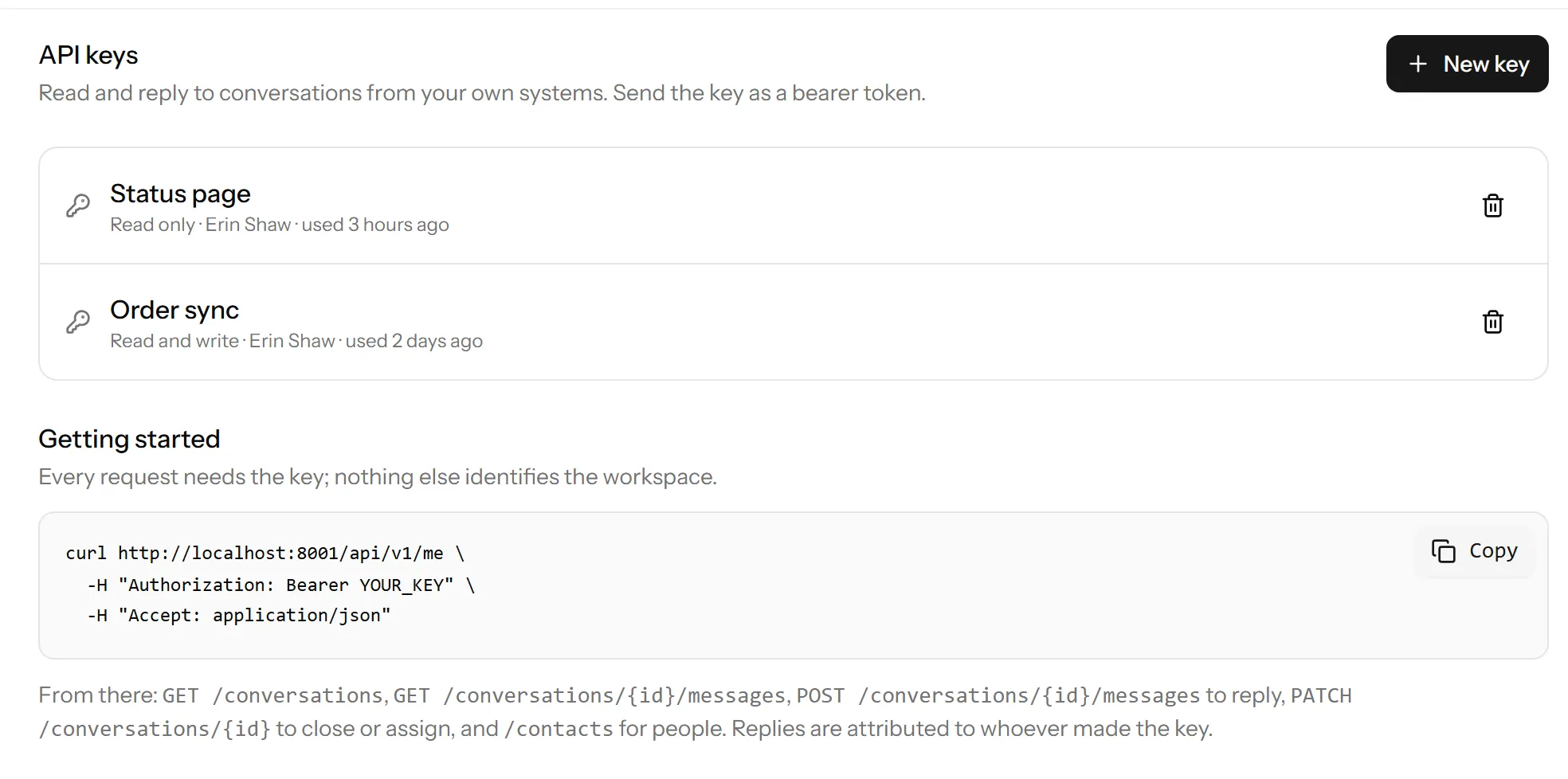
- API keyOptional
- Talkfront → Settings → API keys, with the write permission
How verification works
The plugin signs the Blesta id with your identity key, on your server, and Talkfront checks the signature. Somebody who edits the page in their browser can change the name they show but can never become somebody else, and unsigned details never attach to a verified person.
It is the same mechanism whichever platform you are on, so if you have read this on another plugin’s page, you have read it.
What gets synced, and when
- Blesta has no job queue, so nothing here calls Talkfront during a page load. Every event (a client edited, an invoice raised or paid, a service suspended) writes one row saying that client needs sending.
- Blesta’s cron does the sending: one task every five minutes pushes whoever is marked, up to 500 a run, and a nightly one marks the next page of clients so nothing goes stale. A client is at most one cron tick out of date, and no page a customer opens has ever waited on our servers being up.
- The plugin keeps a fingerprint of what it last sent for each client, so one that was marked but has not actually changed is compared locally and never leaves your server.
- This needs Blesta’s cron running, which a working install already has, under Settings → Company → Automation. Without it nothing is sent, and the settings page shows clients waiting.
If something isn’t working
- No chat button on the client area
- Check the site key is set and Show the chat widget is on, then check your Blesta domain is in the website’s allowed domains in Talkfront. If your client area sends a Content Security Policy, the three sources to allow are here.
- Clients show as unverified
- The identity key is missing, wrong, or was regenerated in Talkfront and not pasted back in here.
- Nothing is syncing
- Press Test the connection. A read-only API key is the usual answer. Syncing needs one with write. After that, check Settings → Company → Automation shows both Talkfront tasks with a recent run.
- Details look wrong or stale
- Press Send every client again, then Send what is waiting now.
Still stuck? Open a chat on this page, or email support@talkfront.app with your Blesta version and what you are seeing.
Start talking to your visitors today
Create a workspace, paste one line into your site, and answer your first chat in a few minutes.
Free plan, no card needed.