Reading the audit log
Who did what in your workspace, when, and from where.
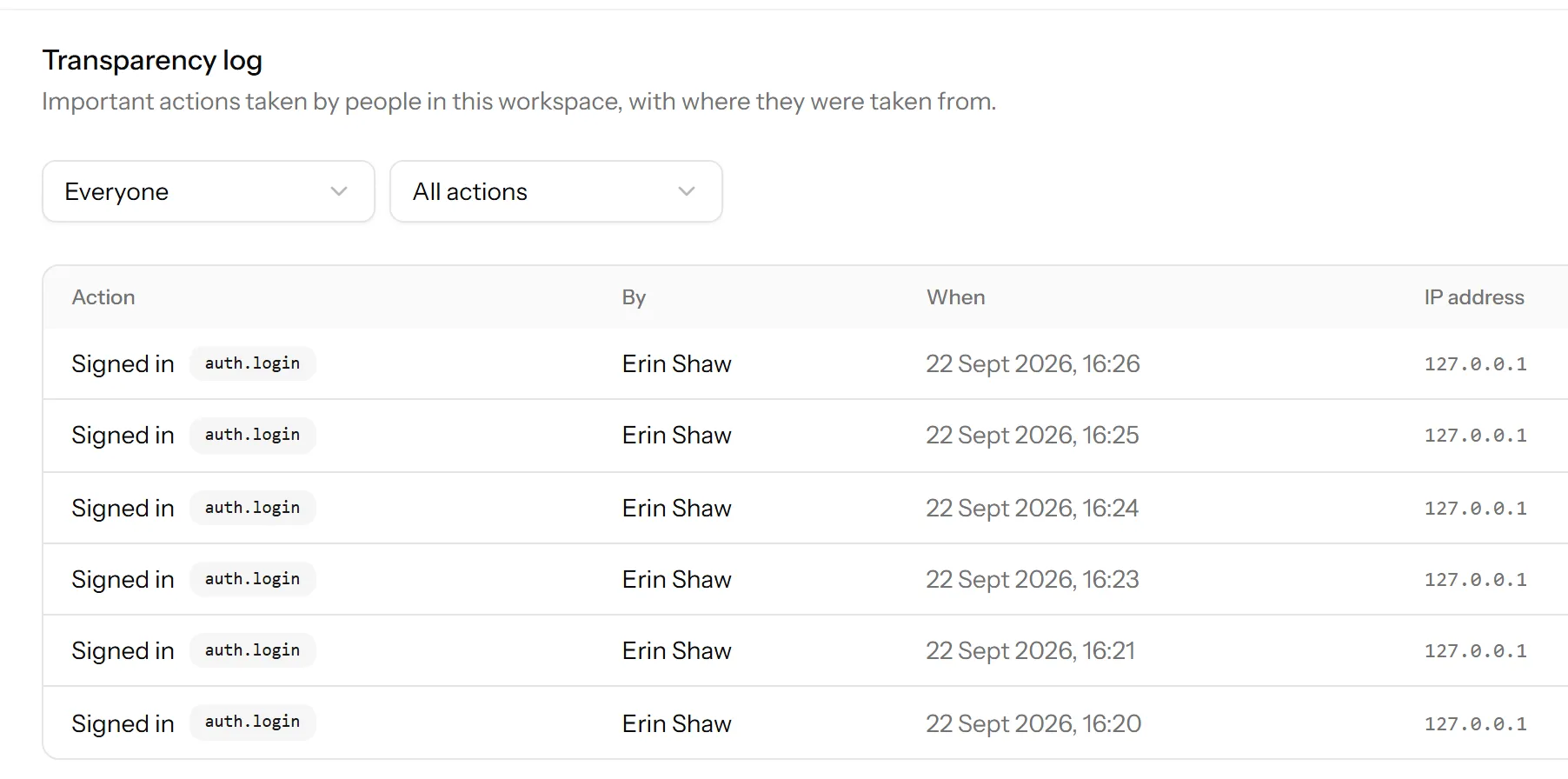
Talkfront calls it the transparency log. It records what members did in your workspace: who, what, when, and the IP address it came from.
It is on the Business plan.
Finding it
Settings → Transparency log. It is filterable, so an audit is a search rather than an investigation.
What is in it
Actions people took, not conversations they read. Settings changed, members added and removed, roles changed, websites created, API keys made, data exported or erased.
The things worth being able to answer later, in other words, and nothing that would make it a surveillance tool for reading over an agent’s shoulder.
When you will want it
Something changed and nobody remembers doing it. The greeting is different, a website is missing a domain, a saved reply says the wrong price. The log turns “who broke this” from an accusation into a fact.
Somebody has left. Check what was done in their last week, particularly around API keys and exports.
A key leaked. The log shows what was done while it was out, which is the difference between a bad afternoon and a disclosure.
Someone asks. A customer, an auditor or an insurer wanting to know that you can account for access to personal data. This is the thing you show them.
Erasure appears in it, and stays
When somebody’s data is erased, the log keeps a record that an erasure happened, by whom and when. It does not keep what was erased.
That is the right way round: a deletion you cannot prove you performed is worth very little when somebody asks, and keeping the contents would defeat the deletion.
What it cannot tell you
It records actions in the panel. It does not record every page an agent looked at, and it is not a keystroke log. If your question is “did this person read this conversation”, the log will not answer it.
Last updated 22 September 2026.