Setting up a webhook
Getting a signed POST when something happens, verifying it came from us, and what happens when your endpoint is down.
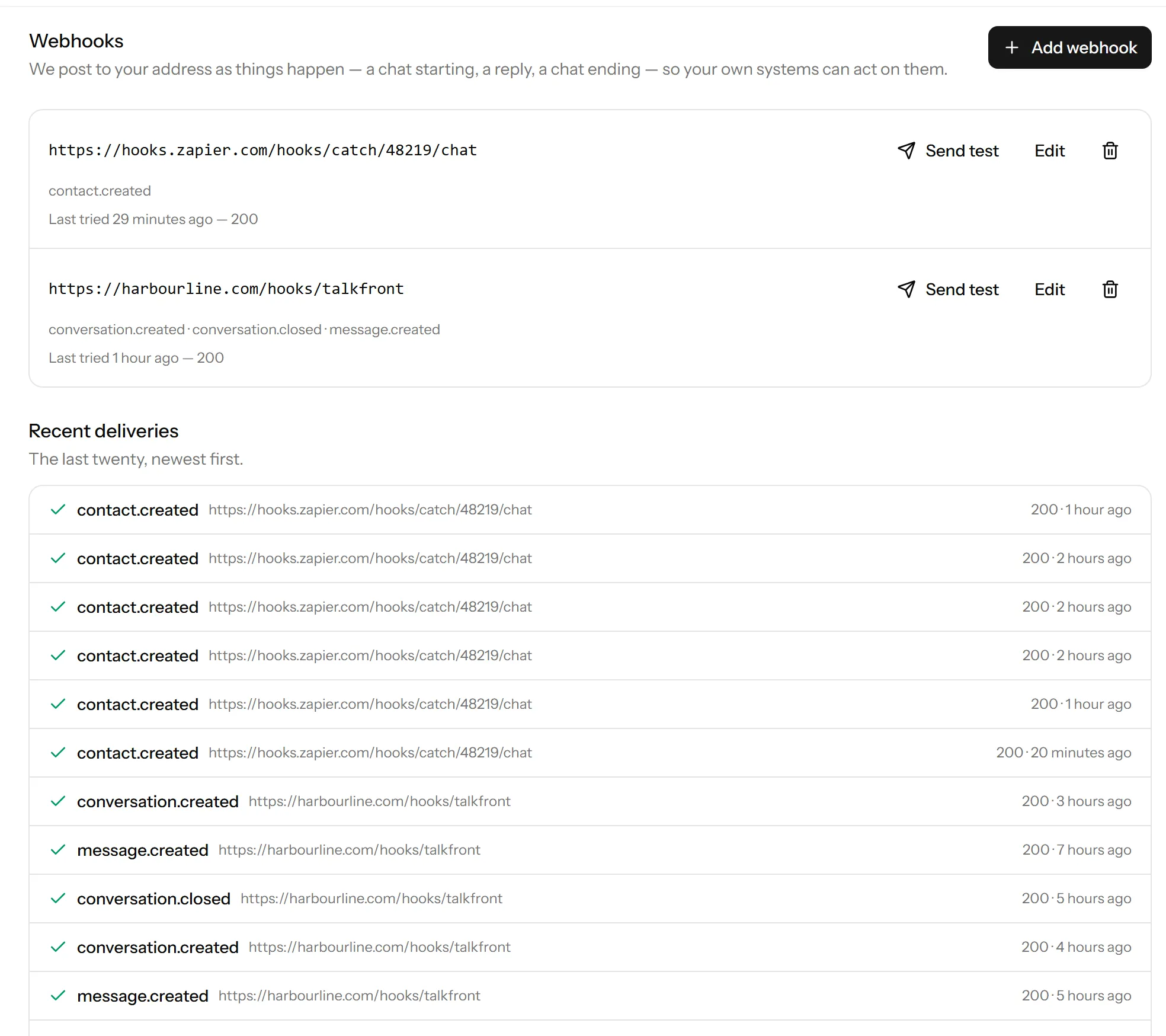
A webhook is an address of yours that we POST to when something happens, so your systems find out without polling.
Webhooks are on the Pro plan and up.
Adding one
Settings → Webhooks → Add webhook. Give it the URL and tick the events you want. Subscribe to what you will use rather than everything: a firehose you ignore is a cost to both ends.
You are shown a signing secret when you create it. Keep it, and read the next section before you write any code.
Verify the signature
Every request carries a signature header, computed from the timestamp and the body using your secret. Check it before you trust the payload.
Your endpoint is a public URL. Anyone can post to it, and without the check you will act on whatever they send. This is the whole reason the secret exists.
Compare using a constant-time comparison rather than ==, and reject anything
with a timestamp that is not recent, so an old genuine request cannot be
replayed at you.
Answer quickly
Return a 2xx as soon as you have the payload, and do the work afterwards. A webhook that waits for your own slow job will time out and be recorded as a failure, even though you got it.
What happens when yours is down
Failed deliveries are retried. After twenty consecutive failures the webhook is switched off, and it stays off until you turn it back on, which forgives the failure count.
That is deliberate: an endpoint that has been returning 500 for two days is not going to succeed on the two thousandth attempt, and continuing to hammer it helps nobody.
Check the delivery log on the webhooks screen. It shows the last twenty, with status codes, which usually tells you what happened without instrumenting anything.
Testing
Send test posts a sample to your endpoint so you can confirm it is reachable and your signature check passes, before anything real depends on it.
Webhooks belong to the workspace
Like API keys, they outlive the person who made them. Review them when somebody leaves.
Last updated 22 September 2026.