Taking a chat, and what happens when nobody does
How a conversation reaches you, how it gets picked up, and what Talkfront does if nobody is there.
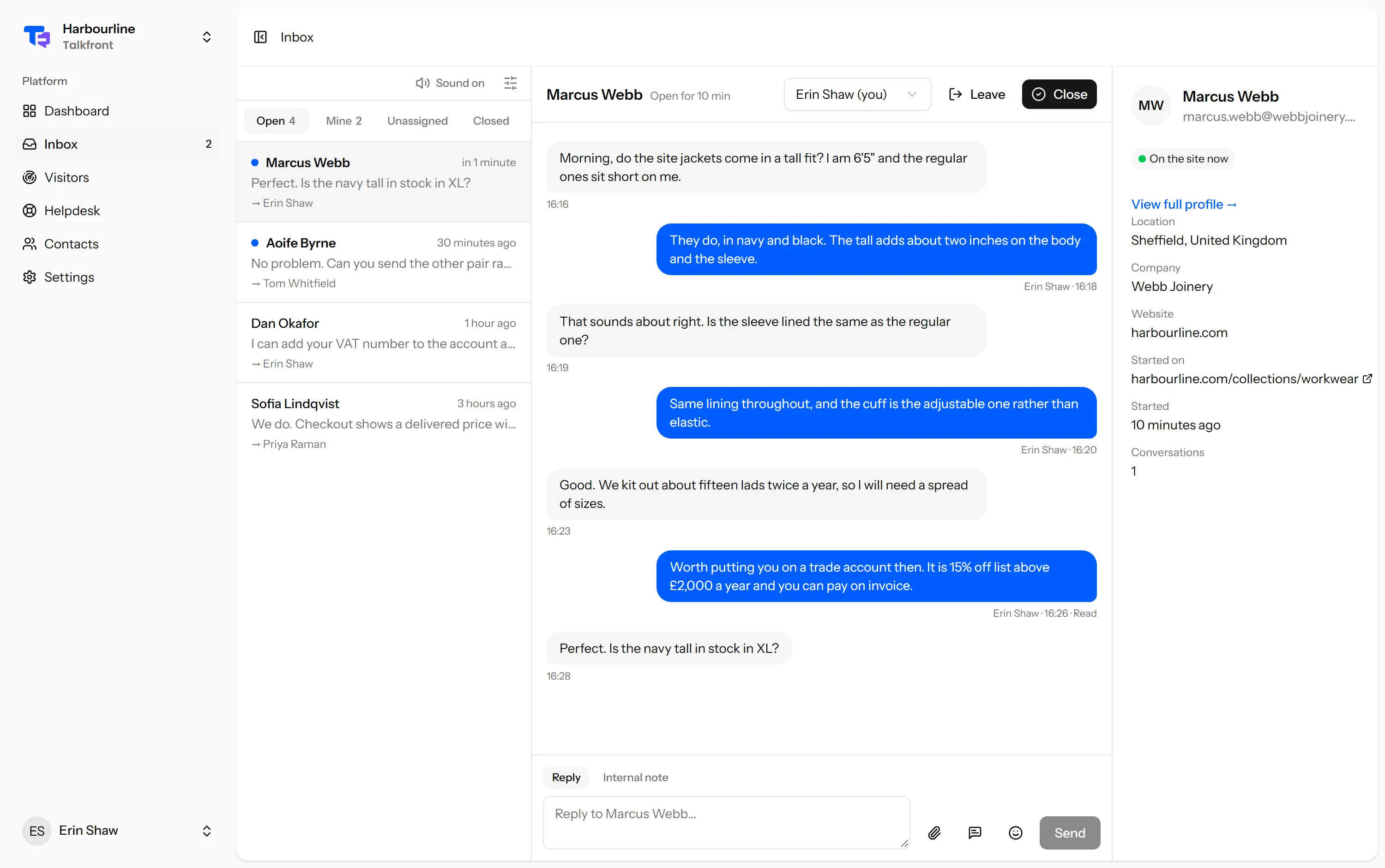
How a chat reaches you
When a visitor sends their first message the conversation appears in your Inbox under Open, and everyone in the workspace who is available is told about it. Nobody has to claim it first.
The filters across the top are the whole navigation:
- Open is everything still live, whoever has it.
- Mine is the ones assigned to you.
- Unassigned is the ones nobody has answered yet. On a busy day this is the queue.
- Closed is everything put away, still searchable.
Picking one up
Open it and reply. That is the whole act of claiming it: the first agent to reply is assigned the conversation, so the work of saying “I’ll take this” is the same as doing it.
If you open a chat someone else is already handling, you will see their name in the assignee box at the top. You can still read it, and still add an internal note.
The order to work in
The list is newest first, which is not the same as most urgent. Two other places are better for deciding what to do next:
- Waiting longest on the dashboard, which is the person who has been waiting the most time rather than the least.
- The Unassigned filter, because an unanswered chat is worse than a slow answer on one somebody already owns.
When nobody takes it
This is the part worth understanding, because it happens to everyone eventually.
If a visitor is still on the page, they keep waiting and can see whether you are online. If they wander off or close the tab before anyone replies, Talkfront emails them your reply when it finally comes, so the answer reaches them instead of sitting in a window they have left. There is a cooldown on that, so a burst of replies does not become a burst of emails.
If nobody ever replies at all, the conversation stays open until either somebody answers it or it passes the idle timeout, if you have set one. It does not quietly disappear.
What the visitor sees while they wait
Your opening hours, if you have set them, and a queue position when you are busy. Being honest here costs nothing and buys a lot of patience. Somebody told “we are closed until 9am” behaves very differently from somebody watching a window where nothing happens.
Last updated 22 September 2026.