Understanding your usage
What you are using against what your plan allows, and which numbers are worth watching.
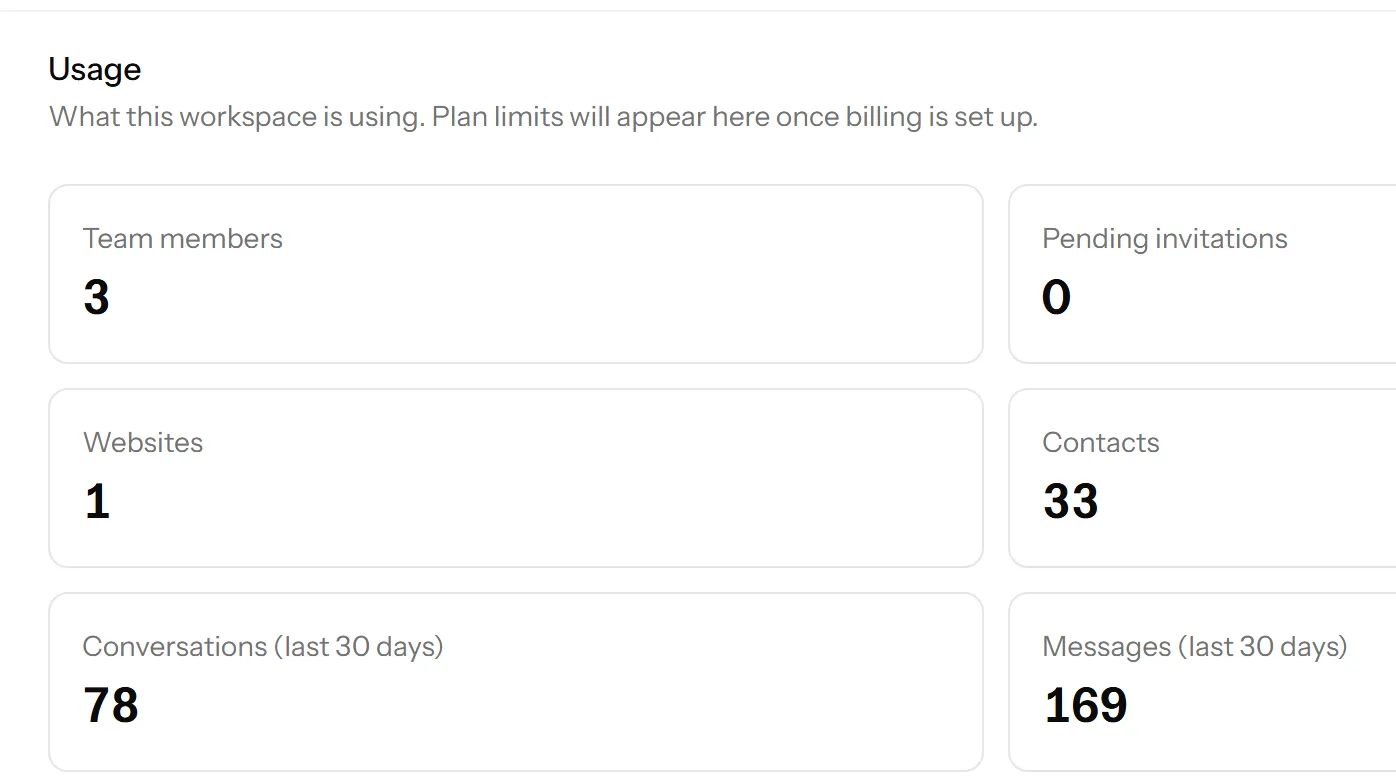
Settings → Usage shows what this workspace is using against what your plan allows.
What is counted
Seats. Members plus outstanding invitations. The invitations are the ones people forget, and they are the usual reason a seat count looks wrong.
Websites. How many you have added, against your plan’s limit.
Conversations and contacts. These are here so you can see the shape of your own volume. They are not limits: conversations are unlimited on every plan, including the free one, and there is no per-chat charge.
What is not counted
There is no message allowance, no per-agent overage and no charge that varies with how busy you were. A month with a thousand chats costs the same as a month with ten.
This is deliberate, and it is worth knowing because it changes how you should behave: there is no reason to discourage people from starting a chat, and no reason to close conversations to keep a number down.
The number worth watching
Seats, and only near the boundary. If you are on Starter with five seats and four members, the next hire is a plan change, and it is better to know that before their first morning than during it.
Everything else on this screen is interesting rather than actionable.
When you hit a limit
Talkfront tells you at the point you try, not afterwards: adding a sixth website on a five website plan is refused with a message saying which plan includes more. Nothing already in place stops working.
Storage
Files sent in chats count against nothing, but they are deleted with the conversation they belong to. Your retention setting is therefore what controls how much you accumulate, rather than any quota.
Last updated 22 September 2026.