Creating an API key
Making a key, choosing what it can do, and what to do when one leaks.
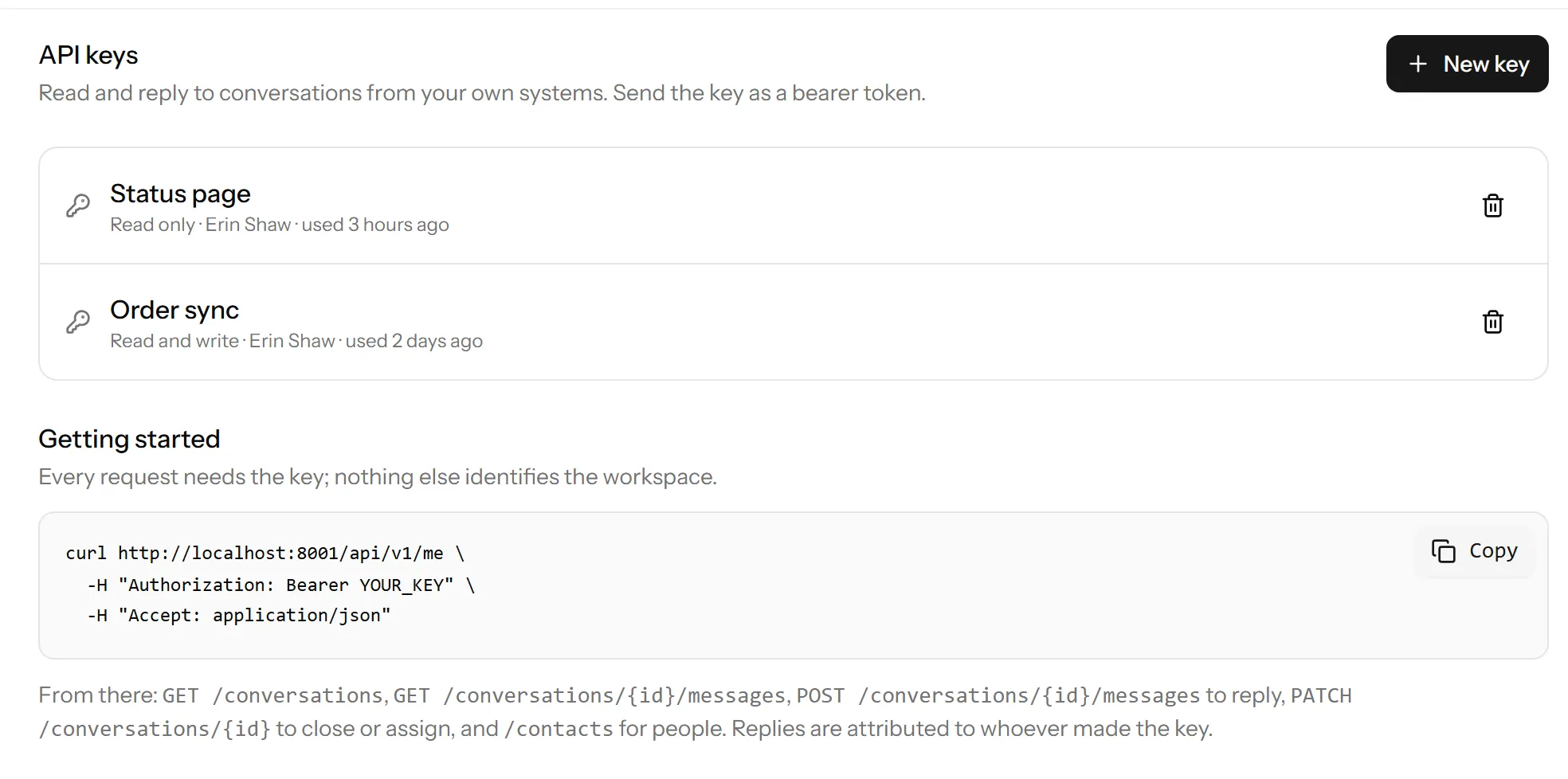
Settings → API keys → Create key. Give it a name and choose what it can do.
API keys are on the Pro plan and up.
Name it after the thing using it
Not “key 1”. The name is the only clue you will have in six months about
whether you can safely delete it. Order sync, Status page, Zapier are
all useful. A key you cannot identify is a key you will leave in place because
deleting it feels risky.
One key per integration, for the same reason: when one leaks, you revoke one thing rather than breaking everything at once.
Read or write
- Read can list and fetch conversations, messages and contacts.
- Write can also reply, close, and change contacts.
Give read only, unless the thing genuinely needs to write. A dashboard does not need to be able to close conversations.
You see it once
The key is shown at the moment you create it and never again: after that only its hash exists. Put it wherever it belongs before you close the page.
If you lose it, you cannot recover it. Delete it and make another, which is about thirty seconds of work and is why we do not keep a copy.
Where to put it
In your server’s environment, alongside your other secrets. Not in your frontend, not in a repository, and not in a message to a colleague.
A key in browser JavaScript is a key you have published. The widget’s own JavaScript API is the thing designed to run in a browser; the REST API is not.
When one leaks
Delete it. Immediately, before working out the consequences: a deleted key stops working at once, and the integration that depended on it being broken for ten minutes is a much smaller problem than the alternative.
Then create a replacement with a new name, and check the transparency log to see what was done while it was out.
Keys belong to the workspace
Not to the person who made them. If somebody leaves, removing them does not revoke keys they created, so review the list.
Next
The API: authentication and rate limits covers how to use it.
Last updated 22 September 2026.